


Ad-silence - OpenSource
3.821.00 Reviews
App Specs
- Version
- v0.8.0-prod
- Updated On
- License
- Free
- Downloads
- 100,000+
- Developer
- bluepie
- Categories
- Libraries & Demo
- Platform
- Android
Screenshots
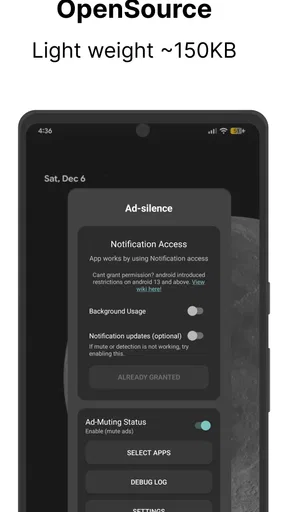
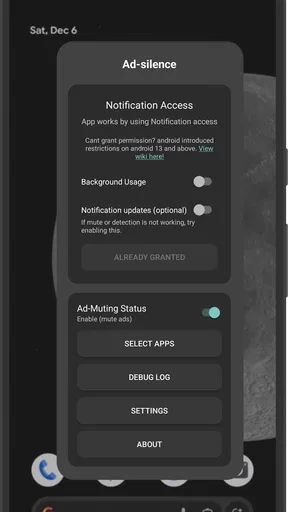
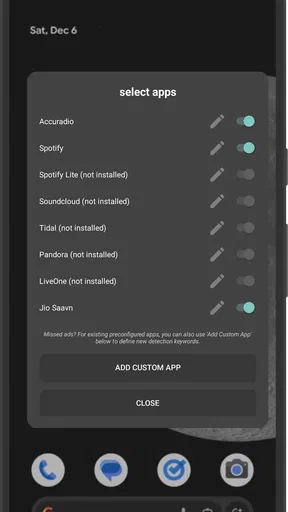
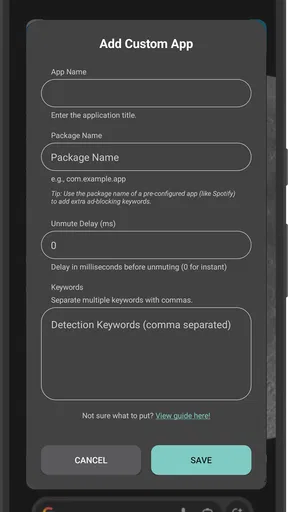
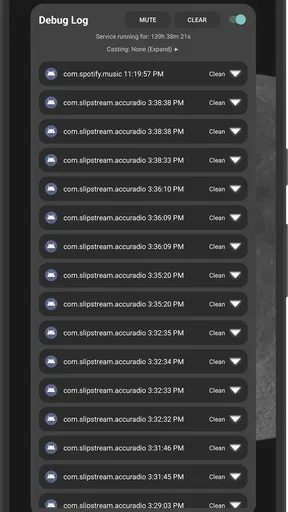
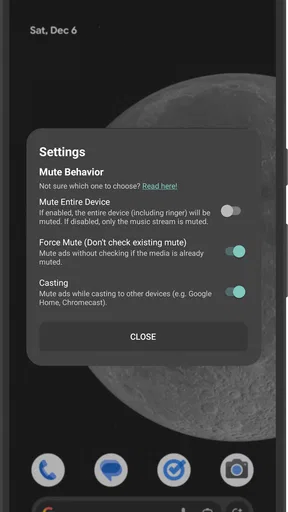
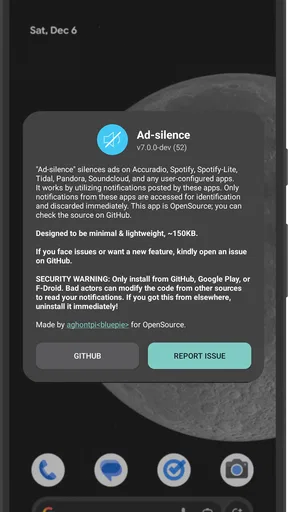
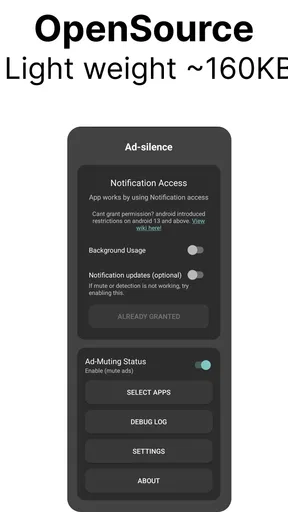
 Analysis by AppCompare
When an audio app is interrupted by an advert, the pause can feel more jarring than the advert itself. I’m interested in tools that make listening less stop-and-start, and Ad-silence takes a focused approach: it is intended to mute ads from audio services and other apps. That makes it a different proposition from a conventional ad blocker, which usually aims to remove advertising from web pages. The distinction matters, because this is most useful to someone who wants fewer loud interruptions while listening, not someone looking for a broad privacy or browsing toolkit.
What to expect from the listening experience
The promise here is about muting, not necessarily removing an advert from a stream. I’d set expectations accordingly: the practical goal is a quieter interruption, rather than a guarantee that every promotion disappears or that playback skips straight to the next song. If you want to keep music or spoken audio going without sudden ad volume taking over the room, that narrower aim may be enough. If you want a completely uninterrupted service, a paid plan offered by the service itself may be a better fit.
That difference also shapes when I would reach for it. Someone who listens to a free audio service while cooking may prefer a muted break to a burst of sound that competes with conversation. On the other hand, if an advert contains information you actually want to hear, muting it is not helpful. I’d treat this as a tool for managing interruptions, not as a way to control what an audio service chooses to play.
Where it fits among ad-control options
In the broader Libraries & Demo space, Ad-silence stands out by addressing the listening experience rather than presenting itself as an all-purpose content filter. Browser ad blockers are the more natural choice for people mainly bothered by banners, video ads, and clutter on websites. A subscription is the more dependable route for listeners who want the service’s own ad-free experience. Ad-silence makes most sense between those options: a focused attempt to make advertising in supported listening situations less disruptive, without changing the service you already use.
That focus is also a trade-off. A tool aimed at muting ads is only valuable if it behaves sensibly alongside the audio app you care about. Before relying on it for a long session, I’d try a short listening test with one service at a time, then check whether ordinary playback and the interruptions you wanted to quiet still behave as expected. This small check helps separate a useful everyday aid from an app that does not suit your particular mix of services.
A realistic routine and a useful test
Imagine starting a playlist while getting ready in the morning, then moving your phone to a speaker while making breakfast. A sudden advert can be awkward if other people are nearby, even when the music itself is welcome. In that situation, a muting tool has a clear practical role: it can reduce the disturbance without asking you to change your listening habit. I would still keep the first test short and within earshot, rather than assuming the app will handle every interruption exactly the same way across every audio source.
A useful way to judge the fit is to test the specific service and setting you actually use. Try the phone speaker first, then headphones if those are part of your normal routine. Notice whether the change is simply quieter advertising or whether it affects the listening flow in a way you dislike. That is more informative than judging the app from a single quick launch, because the value is in how it fits around another app during real playback.
Worth Reading Before You Choose

EA SPORTS FC Mobile 26 Is a Bigger Football Game, but It Takes Time

Flipboard Shows What News Apps Must Do Beyond the Feed

Switching to Android Auto Means Rethinking Your Driving Routine

Google Calendar Makes a Crowded Week Easier to Manage

Ludo King Makes the Most of the Minutes Between Plans

Baby Panda World Brings Quick Play to Modern Phones, but Its Game Library Feels Busy
Who may prefer another approach
I’d consider this for someone who uses ad-supported audio and finds the sudden sound of adverts more annoying than the fact that adverts exist. It may also appeal if you switch between several listening apps and want one focused utility to try before changing subscriptions. It is less compelling if your main frustration is visual advertising in a browser, if you need every advert removed rather than muted, or if your listening already happens through an ad-free plan. In those cases, a browser blocker or the audio provider’s own subscription is a closer match to the problem.
It is also worth thinking about the people who share your device or listening space. Muting may be useful when a phone is playing aloud around family or coworkers, but it can make an advert’s message inaudible rather than merely less intrusive. If you rely on promotions, announcements, or other audio content being heard, test carefully before making the app part of a regular routine.
Ad-silence is a free Android app from bluepie, released on Nov 30, 2021. Its audience rating is 3.8 from around 380 ratings, and it has passed 100,000 installs. It is rated for Everyone and runs on Android 5.0 or later, with v0.8.0-prod as its current version. Those details make it approachable for many Android users, though the real question is still whether its specific muting approach suits the services and listening habits you have.
The open-source angle may interest people who value software transparency, but I would not treat that alone as proof that the app will work perfectly in every setup. The practical test is whether the behavior you want is consistent on your device and with your chosen audio app. I’d also keep expectations modest around battery or data savings: muting sound is not the same thing as stopping an advert from being delivered, so I would not install it primarily to reduce network use.
For a first run, I’d choose one familiar audio app, keep the listening session short, and pay attention to both the muted interruptions and normal playback. If the result is comfortable, expand your routine gradually rather than changing several settings at once. That makes it easier to spot when a particular service or situation is a poor match and to decide whether to keep using the tool.
Ever felt like your phone is just one big commercial waiting to happen? I know I have. That's why I decided to dive into an app that promises to make our lives a tad bit quieter: Ad-silence. It's open source, which immediately caught my attention. Who doesn't love something that's free and transparent, right?
Getting Started with Ad-silence
When I first installed Ad-silence, I was a bit skeptical. The installation process, however, was smooth sailing. No hiccups, no fuss. Once you open the app, you're greeted with a clean and straightforward interface. It's as if someone handed you a magic wand and said, "Here, go make the internet a little less annoying."
Setting it up is a breeze. You don't need to be a tech wizard to get things rolling. Just a couple of taps and you're in business. The app works in the background, ensuring you can enjoy your browsing without those pesky ads popping up every few seconds.
How It Works
Ad-silence operates by blocking unwanted content before it even has the chance to load. Think of it as a bouncer for your phone, keeping the riff-raff out. It uses a filter list to block ads, trackers, and other distractions. The best part? You can customize these lists to suit your needs. Want to block everything under the sun? Go for it. Prefer a more relaxed approach? You got it.
What's really cool is that because it's open source, you can peek under the hood if you're the curious type. This transparency means you can trust that the app isn't doing anything shady behind your back. Plus, there's a community of developers constantly working to improve it, which is always a plus.
Performance and Experience
Now, onto the nitty-gritty. How does it actually perform? In one word: brilliantly. My browsing experience became noticeably faster. Pages loaded quicker without all those heavy ads bogging things down. It's like my phone suddenly hit a caffeine high. Not to mention, my data usage saw a nice little dip, which my wallet appreciated. No more wasting precious data on things I didn't even want to see in the first place!
One of the things I was worried about was whether it would block too much. Sometimes, ad blockers can be too aggressive, causing websites to break or content to disappear. But with Ad-silence, I didn't run into any major issues. Sure, there were a couple of times I had to tweak the settings a bit, but nothing that made me want to throw my phone out the window.
Customization and Control
Customization is where Ad-silence really shines. The app gives you a variety of options to tailor your ad-blocking experience. If you're like me and enjoy having control over what gets through and what doesn't, you'll love this feature. You can whitelist certain sites, making sure they aren't affected by the blocker. Perfect for when you want to support your favorite creators or websites.
And let's not forget the dark mode. I know it's a small thing, but having the option to switch to a darker theme is a godsend for those late-night scrolling sessions. It's the little things that make a big difference.
Final Thoughts
Wrapping it up, Ad-silence is a gem for anyone tired of ads cluttering their digital space. It's user-friendly, effective, and best of all, open source. The app makes browsing a pleasure again, without the constant interruptions that make you want to pull your hair out.
Whether you're tech-savvy or just looking for a simple solution to a persistent problem, Ad-silence has something to offer. It's a testament to the power of the open-source community and a reminder that sometimes, the best things in life are free.
So, if you're ready to enjoy a quieter, faster, and more efficient browsing experience, give Ad-silence a try. Trust me, your sanity will thank you.
Pros
- Open-source and free to use.
- No intrusive ads or pop-ups.
- Regular updates enhance functionality.
- User-friendly interface for easy navigation.
- Supports multiple languages.
Cons
- Limited advanced features.
- May not block all ad types.
- Requires manual setup for some features.
- Occasional bugs with new updates.
- Limited customer support options.
FAQs for Ad-silence - OpenSource
What is Ad-silence - OpenSource, and how does it work?
Ad-silence - OpenSource is a free and open-source application designed to block intrusive ads on your device. It works by filtering out unwanted advertisements, providing a smoother and more enjoyable browsing experience. The app utilizes community-driven blocklists to maintain its effectiveness and is updated regularly to adapt to new ad formats.
Is Ad-silence - OpenSource safe to use on my device?
Yes, Ad-silence - OpenSource is safe to use. As an open-source application, its code is publicly available for review, ensuring transparency and security. It does not collect personal data, and its primary function is to enhance user experience by blocking ads. Always download the app from reputable sources to ensure safety.
Can Ad-silence - OpenSource block ads in all applications?
Ad-silence - OpenSource is effective in blocking ads in most web browsers and some applications. However, it may not block ads in all apps, especially those with built-in ad tracking mechanisms. Its performance can vary depending on the app and the type of ad, but it generally provides significant ad reduction.
Does using Ad-silence - OpenSource impact my device's battery life?
Ad-silence - OpenSource is designed to be resource-efficient and should have minimal impact on your device's battery life. By reducing ad loads, it can even help conserve battery usage during browsing. However, as with any app, it's good to monitor its performance and adjust settings if necessary.
How do I update Ad-silence - OpenSource to the latest version?
To update Ad-silence - OpenSource, you can check for updates directly within the app or visit the official website if you downloaded it from there. Regular updates are essential to maintain its ad-blocking capabilities and to ensure compatibility with new ad formats. Always ensure you have the latest version for optimal performance.


